Complications are what make Apple Watch truly personal. These small widgets on your watch face provide at-a-glance information and quick access to apps. The right combination turns your watch from a timepiece into a personalized information dashboard.
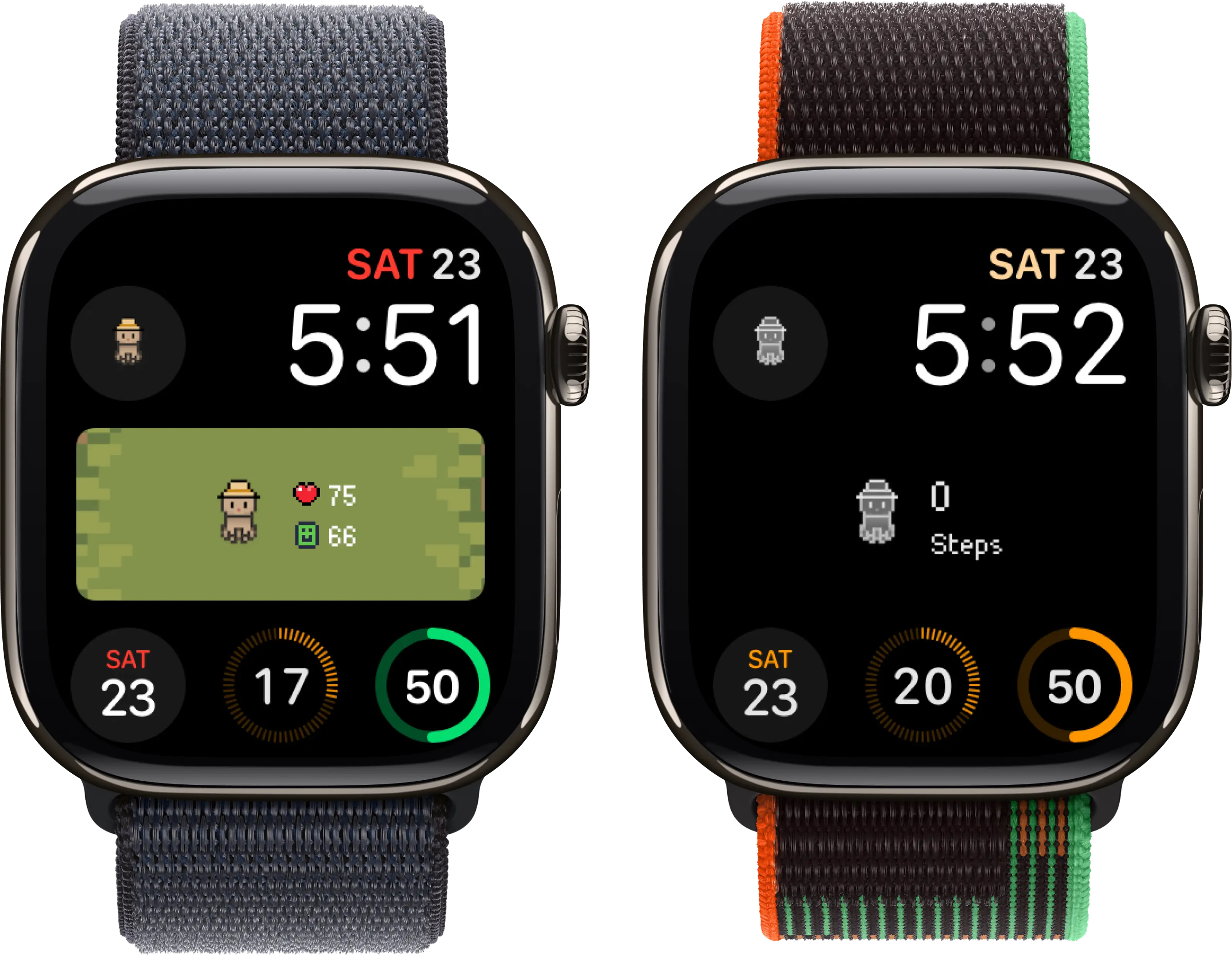
Belly's complications bring your pixel pet to any watch face
Understanding Complication Types
Apple Watch supports various complication sizes: Corner (small, fits in corners), Circular (round icon or gauge), Rectangular (horizontal with more detail), Graphic (larger, more visual). Different watch faces support different types, so check which complications work with your preferred face.
15 Best Complications by Category
Fun & Entertainment
Belly Pet Complication
See your pixel pet's face right on your watch face. The complication shows your pet's current mood and health, letting you check on your companion with a glance. Tap to open the full app. Available in multiple sizes to fit any watch face—one of the few complications that brings genuine joy every time you look at your watch.
Fantastical Calendar Art
Beautiful calendar views that show upcoming events with visual flair. Multiple sizes display different amounts of detail.
Widgetsmith Custom
Create custom complications with photos, text, or dates that matter to you. Highly personalizable for unique watch faces.
Productivity
Things 3 Tasks
Shows your next task or today's task count. Tap to quickly add new tasks or check off completed items.
Todoist
View pending tasks and quickly access your to-do list. The complication shows overdue items for motivation.
Timery Time Tracking
Start and stop time tracking with one tap. Shows currently running timer and project.
Health & Fitness
Activity Rings
Apple's built-in complication showing Move, Exercise, and Stand ring progress. Essential for fitness tracking.
Heart Rate
Current or recent heart rate at a glance. Tap for detailed heart rate history and trends.
WaterMinder
Track daily water intake with a visual gauge. Tap to log drinks quickly.
AutoSleep
Shows last night's sleep score and duration. Helpful for maintaining sleep awareness.
Weather & Environment
Weather (Apple)
Current temperature and conditions. Multiple sizes show varying detail levels from simple temp to full forecasts.
CARROT Weather
Weather with personality. Snarky forecasts and beautiful visualizations in multiple complication styles.
UV Index
Essential for outdoor activities. Shows current UV levels to help prevent sunburn.
Utilities
Battery
Watch battery level at a glance. Some apps show iPhone battery too.
World Clock
Time in another city. Essential for remote workers or those with international connections.
Shortcuts
Quick access to your favorite Shortcuts. One tap to run automations.
Building Your Perfect Watch Face
Start with your most-checked information in the largest complication slots. Belly's pet complication adds personality while Activity rings provide practical fitness tracking. Weather in a corner keeps you informed without dominating the face. Experiment with different combinations—the best setup is highly personal. For more watch customization, explore the best Apple Watch apps and free Apple Watch games.
Want games with great complications? Check out the best Apple Watch games for apps that shine on your watch face.