Most articles about virtual pets pick one app and ask whether it's any good. The more useful question is one step earlier: do you want your pet on your wrist or on your phone? The two platforms produce very different kinds of pet. A wrist pet is ambient; a phone pet is a destination. Picking the wrong one is the difference between checking in on your pet every twenty minutes by reflex, and forgetting it exists for a week.
Same idea, two very different canvases. Apple Watch on the wrist, iPhone in the pocket.
What "wrist" actually changes about pet ownership
The Apple Watch is not a small phone. Putting a virtual pet on the wrist changes a handful of concrete things, and those changes drive every other tradeoff in this comparison.
- Always visible, never fetched. The watch is already on. You don't unlock anything, you don't go looking for the app, you just turn your wrist. A wrist pet shows up in the background of normal life: while you're paying for coffee, waiting at a crossing, checking the time.
- Interaction is measured in seconds. A tap, a glance, maybe two taps. Anything that takes longer than that on the watch starts to feel uncomfortable. So watch pets are designed around tiny, frequent check-ins rather than long sessions.
- It rides on activity you already do. Steps, stand hours, exercise minutes are already being tracked. Watch pets that hook into this make daily walks feel slightly less like exercise and slightly more like company.
- The screen is tiny. No way around it. Detailed art, large UI, complex menus, social feeds: none of these work well on a watch face. The art style of every successful watch pet leans pixel-art or simple silhouette for this reason.
- No notifications competing for attention. When you look at your watch face, the pet is the main thing on screen. On a phone, the pet competes with messages, email, calendars, and a dozen other apps wanting attention.
Net effect: a watch pet is a calm companion that fits into a day you're already having. It doesn't try to become the day.
What iPhone gives you that the Watch can't
The phone trades ambience for depth. None of these are bad, they just point at a different kind of player.
- A canvas you can actually draw on. The phone screen comfortably handles detailed pet art, animation, mini-games, dress-up wardrobes, and rich environments. Pou's mini-game library and My Talking Tom's facial animation are only possible on a phone.
- Deeper mechanics. Phone pets can support inventories, trading, achievements, level-ups, and social features. The screen has the room to show all of it.
- Stronger social hooks. Phone games can run leaderboards, friend lists, trading systems, multiplayer pet adoption. Apple Watch doesn't support that kind of social layer in a meaningful way.
- Voice and camera. My Talking Tom uses the phone microphone. Tamagotchi Pix uses a built-in camera, but for phone apps the equivalent is using the phone's own camera for AR or photo features. None of this exists on the watch.
- Higher production values. Phone budgets in the pet-game category are generally larger because the audience is larger. So phone pets tend to look more polished, more often updated, with more content drops.
The cost is straightforward: a phone pet is something you have to open. It's pocket-locked. You go to it; it doesn't come to you. If you forget to launch the app for a few days, you can come back to a sad-looking pet and feel guilty, which is a known reason people quit this category.
A useful test: do you want a virtual pet that exists when you're not looking at it, or one that exists when you decide to look at it? Phone pets are firmly in the second camp.
The apps that define each camp
Below is a representative set: the strongest examples on each platform, plus two standalone hardware devices (Bandai's modern Tamagotchis) included for context, because they show what a pure wrist-pet experience looks like outside the Apple ecosystem.
1. Belly
Platform: Apple Watch native, iPhone companion
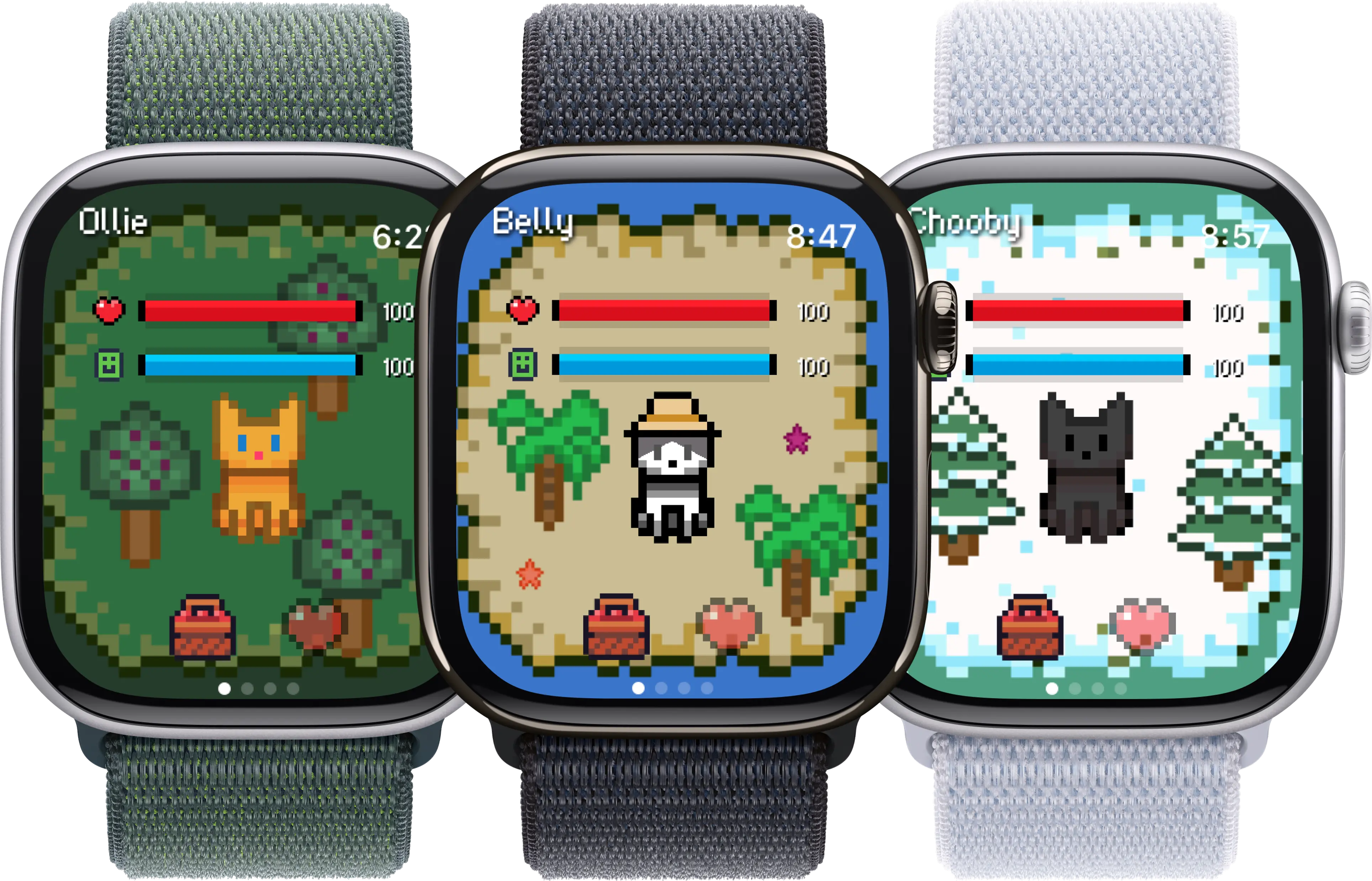
A pixel pet that lives on the watch face. The whole point is glanceability: a quick wrist turn shows the pet, you tap to feed or pet, and the rest of the time the pet just exists alongside whatever else is on your watch. The iPhone side is a thin companion for setup, not the main experience.
What it counts as input:
- Steps and activity tracked by the watch
- Quick taps from the watch face complication
- Light, ambient interaction (seconds, not minutes)
The catch: If you want elaborate mini-games, customisation menus, or social features, the watch canvas is too small. Belly is intentionally a calm companion, not a content app.
2. Habbie
Platform: Apple Watch native
A wrist-first virtual pet built around habits. Each habit you complete feeds or grows your animal. The interaction model leans on the watch's tap-and-go style, with most of the heavy lifting hidden behind small, frequent check-ins.
What it counts as input:
- Daily habits you mark as done
- Steps and activity in some modes
- Streaks tied to the pet's state
The catch: If you fall off a streak, the design can feel reproachful. Watch real estate also limits how much pet personality you actually see.
3. Watch Pet
Platform: Apple Watch native
One of the older Apple Watch pet apps. Lives mostly as a complication on the watch face. Simple loop: pet appears, reacts to time of day and activity, ages over weeks. The visual style is deliberately retro.
What it counts as input:
- Time spent with the watch on
- Steps in some flows
- Watch face complication taps
The catch: Aesthetics are nostalgic but feel dated to some users. Fewer updates over the past year than newer entries.
4. Pixel Paws
Platform: Apple Watch native
Pixel-art pet aimed at the watch first. Strong visual identity, small set of interactions (feed, play, sleep) mapped to wrist taps. Sits in the same lane as Belly and Habbie but with a different art direction.
What it counts as input:
- Taps from the watch face
- Step activity in some game modes
- Time of day affecting pet behaviour
The catch: Smaller team, slower release cadence. If you want frequent new content, the watch-native pet category as a whole is light on that.
5. Pou
Platform: iPhone only
The classic phone-based virtual pet. Pou is a small alien-looking creature you feed, wash, play with, and dress up. Deep mini-game library, lots of customisation, and a brand recognisable to anyone who used iPhones in the 2010s. No Apple Watch app at all.
What it counts as input:
- Mini-games played on the phone
- In-game currency from games
- Cosmetic customisation
The catch: It only exists on the phone, which means it's pocket-locked. Pou never appears on your wrist or in passing; you only see it when you deliberately open the app.
6. My Talking Tom (and the Talking Tom family)
Platform: iPhone primary, no Apple Watch app
A talking cat that mimics your voice, plays mini-games, and goes on small adventures. Hugely successful in the mobile games market with multiple sequels. The whole experience assumes a phone screen, microphone, and time spent inside the app.
What it counts as input:
- Time spent inside the app
- Mini-game scores
- Voice interaction with the pet
The catch: Heavy on ads and in-app purchase prompts. None of the Talking Tom titles run on Apple Watch, so they're not options if you want a wrist companion.
7. Finch
Platform: iPhone only
A self-care pet bird that grows when you complete reflective tasks (journalling, breathing, gratitude prompts). Sits at the wellness end of the virtual pet category. Phone-based, with no watch component as of 2026.
What it counts as input:
- Self-care task completion
- Journalling and reflection prompts
- Time spent in the app
The catch: If you wanted glanceable encouragement on the wrist, Finch can't deliver it. Every interaction requires unlocking the phone.
8. Adopt Me-style mobile pet games
Platform: iPhone primary (also Android, web, console)
The category of phone-based social pet sims (Adopt Me on Roblox, Pet Master and similar). Richer 3D worlds, trading, multiplayer. Closer to a full game than a virtual pet, but pets are the core attachment.
What it counts as input:
- Time inside the game
- Trading and social activity
- In-game progression
The catch: Designed to keep you in the app for long sessions. Strong on graphics and depth, weak as an ambient daily companion.
9. Tamagotchi Smart / Tamagotchi Pix
Platform: Standalone hardware (not Apple Watch, not iPhone)
Bandai's modern Tamagotchi devices. Tamagotchi Smart is a watch-style wearable. Tamagotchi Pix has a built-in camera. Both are dedicated devices: no smartphone, no syncing, no app store. Worth knowing about because they show what a pure wrist-pet experience looks like outside the Apple ecosystem.
What it counts as input:
- Direct button presses on the device
- Built-in sensors (steps on Smart)
- On-device mini-games
The catch: Sold mostly in Japan and via specialist importers. Pricing and availability are inconsistent outside Japan.
10. Tamagotchi Uni
Platform: Standalone hardware with Wi-Fi (not Apple Watch, not iPhone)
Bandai's most recent Tamagotchi: a colour-screen device with built-in Wi-Fi and a meta-verse-style world called Tamaverse. Not a phone app and not an Apple Watch app, but the most direct competitor to what the wrist-pet category is trying to do.
What it counts as input:
- Direct interaction on the device
- Wi-Fi connection to the Tamaverse
- On-device events and items
The catch: It's a dedicated piece of hardware to keep charged and carry around. Most people now prefer the device they already wear.
As of May 2026. Platform availability changes; check the App Store listing of any app before assuming it has a watch version.
Which one suits you
Three rough archetypes cover most readers. Pick the one closest to how you already use your devices.
1. "I wear the watch all day and I don't want another app to open"
You already check the watch reflexively. You don't really want a new ritual; you want something that fits the rituals you already have. The pet should feel like part of the watch face, not a separate destination.
Best fit: Apple Watch native pets. Belly, Habbie, Watch Pet, Pixel Paws. Start with the one whose art style you actually like, since the visual personality matters more than the feature list at this size.
2. "I like sitting down with a small game for ten minutes at a time"
The phone is where your relaxation lives. Mini-games, dress-up, mini-quests are the appeal, and you don't mind that interaction requires unlocking the phone. You want a pet with personality you can actually see in detail.
Best fit: iPhone pet games. Pou for the classic feel, My Talking Tom for voice play, Finch for the reflective end of the spectrum, social pet sims if you want trading and multiplayer.
3. "I want both: ambient during the day, deeper at night"
Plenty of readers fall here. You want the calm wrist version most of the time and a richer evening session when the mood strikes. There's no rule against running two pet apps in parallel; they're cheap and they don't compete.
Best fit: A watch-native pet for daytime ambience (Belly or Habbie), paired with a phone pet that's actually fun to sit with (Pou or Finch, depending on whether you want play or reflection). Different needs, different tools, no overlap.
A note on standalone hardware
The two Tamagotchi devices in the list above (Smart, Pix, Uni) are worth knowing about even if you don't buy one. They exist because Bandai believes a pure dedicated device still has a market, and they're right in one specific sense: when there's no phone in the loop, the pet has your full attention. The catch is that it's another physical thing to charge, carry, and keep an eye on.
For most people who already wear an Apple Watch, the watch-native pet category gets you most of the way to a "real Tamagotchi" experience without adding a second device.
Frequently asked questions
Is a virtual pet better on Apple Watch or on iPhone?
Neither is objectively better; they solve different problems. An Apple Watch pet is ambient: it sits on a device you already wear, takes seconds to interact with, and never asks you to unlock anything. An iPhone pet is richer: bigger screen, deeper mini-games, more customisation, and (in some cases) social features. If you want a calm companion that fits into a normal day, watch. If you want a phone game with a pet as the main character, iPhone. Some people use both, with a watch pet for the day and a phone pet for sit-down play.
Why don't most phone pet games (Pou, My Talking Tom, Finch) have Apple Watch versions?
Three reasons. First, screen size: the original designs assume a 6-inch phone canvas, so porting them to a watch face means cutting most of the interaction. Second, business model: phone pet games rely on ads and in-app purchases displayed full-screen, which the watch doesn't support well. Third, development cost: building a watchOS app is a separate workstream from the phone app, and the audience for a watch version is smaller. So most established phone-pet franchises stay on the phone, and the watch category is dominated by apps built for the watch first.
Can I have the same pet on both my Apple Watch and my iPhone?
Yes, for some apps. Belly, Habbie, and a few others run on Apple Watch with an iPhone companion, so the pet's state syncs between the two but the watch face is the main interaction surface. The opposite (phone pet that mirrors to the watch) is rare because the phone-first apps rarely build a real watchOS counterpart. If you want one pet that lives in both places, watch-first apps are usually the safer bet.
Related reading: compare individual apps in Belly vs Pou and Belly vs My Talking Tom, or stay in the watch lane with the best virtual pet apps for Apple Watch and the broader Apple Watch pet games overview.