The Apple Watch is, by default, a meditation-hostile device. It buzzes for messages, surfaces calendar reminders, and gamifies movement with three rings that close on a strict schedule. Configured with care, though, the same hardware turns into one of the most useful meditation tools a beginner can own. A haptic pulse on the wrist is a better breath cue than any animation on a screen, and a one-tap timer removes the friction that kills most home practices in the first week. This is a short list of apps that get the wrist part right, plus a note on how to pair them with the actual sit.
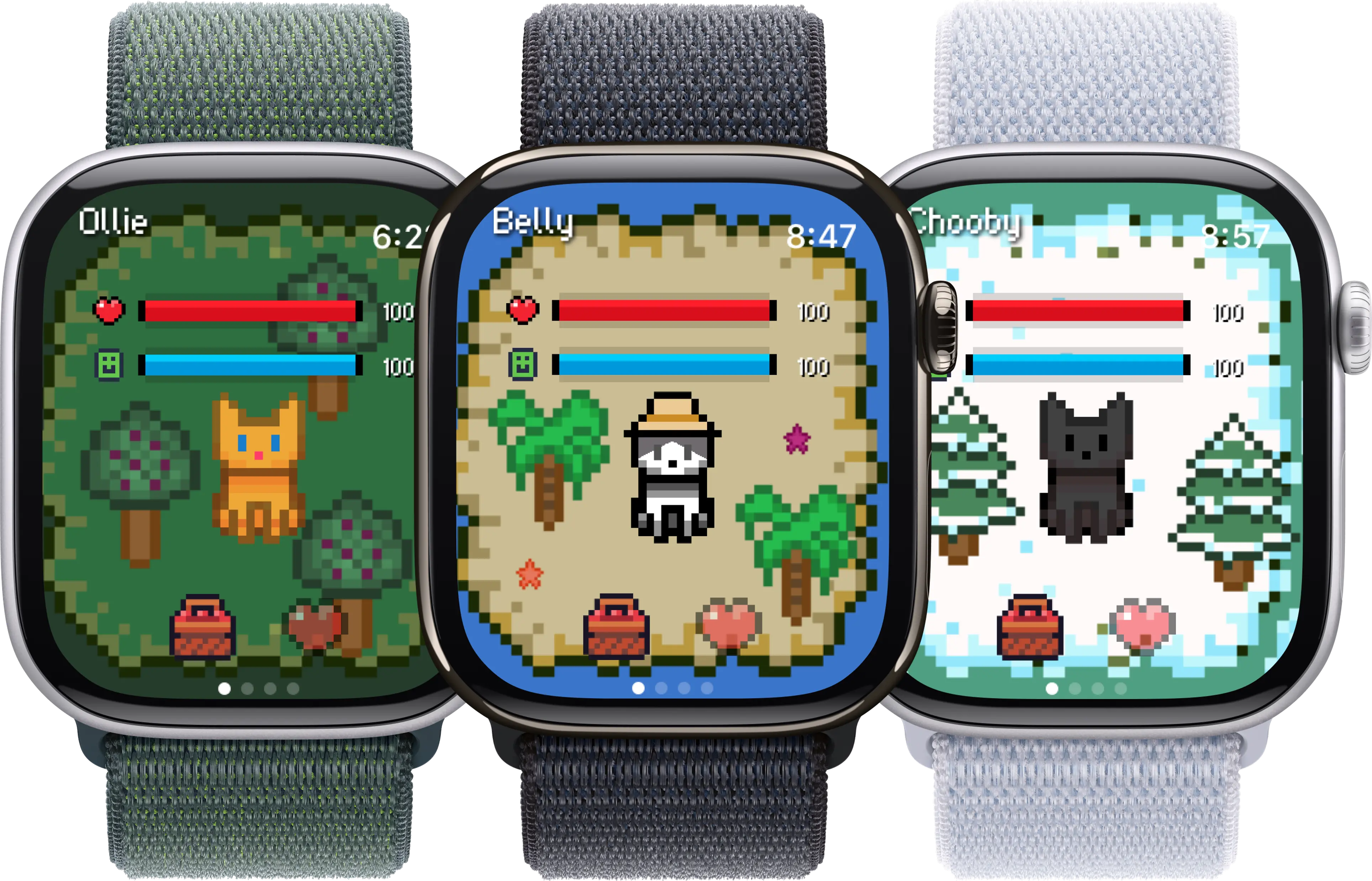
A quiet wrist surface does more for a meditation habit than any feature list.
What makes a game meditation-friendly
Most Apple Watch games are designed for short bursts of attention: a few seconds of input, a small reward, a glanceable score. That structure is fine for waiting in a queue and terrible for meditation, which is the opposite skill. A meditation-friendly app on the wrist tends to share a small set of traits:
- Slow visual pace. No flashing, no rapid colour shifts, no animations under a second.
- Haptics-first interaction. A vibration on the wrist that you can follow with your eyes closed beats any visual cue.
- Optional sound, never required. The app should work in a quiet room with the watch on silent.
- No streak punishment. Meditation practices die under perfectionism. An app that scolds you for missing a day is working against the goal.
- Minimal navigation. One or two taps to start a session. Anything deeper belongs on the iPhone.
- Writes to Apple Health. Mindful Minutes is the closest thing to a neutral, cross-app meditation log. Apps that contribute to it stack cleanly.
None of these are deal-breakers individually. An app that fails one or two can still be useful. An app that fails most of them, however much it markets itself as a meditation tool, is closer to a self-improvement billboard than a practice aid.
The list
1. Apple Mindfulness (Breathe + Reflect)
The built-in Mindfulness app is the most frictionless starting point. Breathe sessions run from one to five minutes with a slow expanding-circle animation and a haptic pulse you can follow with your eyes closed. Reflect prompts a short journal-style sit on a topic like gratitude or a recent moment of focus. It costs nothing, it lives on every watch by default, and the haptics are surprisingly well-calibrated.
What you do with it:
- 1 to 5 minute breath sessions with haptic guidance
- Reflect prompts for one-line journaling at the wrist
- Logs into Apple Health under Mindful Minutes
- Optional weekly mindfulness goal in the Activity app
The catch: It is intentionally minimal. If you want guided talk-tracks, ambient soundscapes, or a library of teachers, this is not where you find them.
2. Calm
Calm's watch app is a controller for the iPhone library plus a few standalone features. From the wrist you can start the Daily Calm, trigger a quick breath bubble, or play a soundscape (rain, forest, fireplace) without ever opening the phone. The Daily Move and Daily Trip sessions also kick off from the watch. Subscription unlocks the full library; the free tier covers the basics.
What you do with it:
- Wrist-launched Daily Calm and breath bubble
- Soundscape player with offline downloads on iPhone
- Sleep stories pushed from phone, paused from watch
- Mindful Minutes write into Apple Health
The catch: Most depth lives on the iPhone. The watch app is genuinely useful for starting and stopping sessions, less so as a standalone tool.
3. Headspace
Headspace ships a thoughtful watch experience. The SOS sessions are designed exactly for the wrist: three minutes, eyes closed, voice in your ears for stress, anxiety, or a wobble mid-meeting. There is also a wrist-only breathing pacer and quick access to the day's recommended session. Animations are gentler than Calm's, with less visual noise.
What you do with it:
- SOS sessions for acute stress moments
- Daily mindful breath at the wrist
- Move sessions for short body breaks
- Apple Health integration for Mindful Minutes
The catch: Subscription required for most content. The watch app does not work offline if the session was not pre-downloaded on the iPhone.
4. Insight Timer
Insight Timer is the largest free library of guided meditations in the App Store, and the watch app reflects that ethos. You get a configurable timer with interval bells (Tibetan, Burmese, crystal), a quick-start button for your favourite teachers, and the ability to log sessions back to Apple Health. The free tier is genuinely usable; Member Plus is a few dollars a month if you want courses.
What you do with it:
- Timer with interval bells and ambient endings
- Quick-start favourites synced from iPhone
- Streak and session count, optional
- Mindful Minutes written to Apple Health
The catch: The watch UI is denser than Calm or Headspace. Take a minute to set up favourites on the iPhone first, otherwise the wrist surface feels cluttered.
5. Oak, Meditation & Breathing
Oak is a small, free, ad-free meditation app from the same team behind early Tumblr. The watch app gives you three simple choices: meditate, breathe, sleep. Sessions are timed and unguided, with optional ambient sound. No subscription, no nudges, no library to navigate. It is the closest thing to a wrist-mounted meditation timer that still feels designed.
What you do with it:
- Unguided meditation timer
- Three breathing patterns: deep, box, 4-7-8
- Sleep sessions with chime endings
- Apple Health Mindful Minutes
The catch: No guided content at all. If you need a voice in your ear to settle, Oak alone will feel sparse.
6. Streaks
Streaks is not a meditation app, it is a habit tracker, and it earns a place here because the hardest part of any practice is doing it on a Tuesday when nothing in your life suggests you should. The watch complication shows your tasks for the day with a single tap to mark one done. Set a daily 'sit for ten minutes' task, watch the streak grow, repeat. The visual reward is small and well-calibrated.
What you do with it:
- Up to 12 daily habits tracked from the wrist
- Complications on most watch faces
- Health-aware tasks (meditate, mindful minutes)
- Optional streak recovery if you miss a day
The catch: It is a paid app (one-time purchase, no subscription). If you are already prone to streak anxiety, the rigidity can backfire. Use the recovery feature.
7. Belly, gentle pet companion
Belly is a pixel pet that lives on the watch face. It is not a meditation app, and we will not pretend otherwise. What it is, is a low-stimulation companion for the in-between moments: the minute before you start a sit, the wait at the kettle, the walk after a session. There is no streak, no penalty, no notification storm. The pet reacts to your steps and check-ins, that is it.
What you do with it:
- Pixel pet on the watch face complication
- Reacts to steps from the Activity app
- No streaks, no penalty for missing a day
- Ad-free, no in-app purchases pushing for attention
The catch: It does not guide a meditation, log Mindful Minutes, or replace a sit. Think of it as a quiet companion for the rest of the day, not the practice itself.
8. Apple Breathe (legacy, still useful)
Older Apple Watches without the full Mindfulness app still have the original Breathe experience. Even on newer hardware, the standalone breath bubble is a one-tap reset. Tap the complication, set a length, follow the expansion. The haptic pulse on the wrist is enough to anchor attention for anyone who finds visual focus distracting.
What you do with it:
- Single-tap breath sessions from a complication
- Haptic-only mode for eyes-closed sessions
- Mindful Minutes logged to Apple Health
- Works on every Apple Watch from Series 3 forward
The catch: It is one feature. If you want anything beyond breathing, you need a real meditation app on top.
Updated May 2026. App pricing, free tiers, and watchOS feature availability change with platform updates. Treat the list as a starting point, not a permanent ranking.
How to combine games with actual meditation practice
None of these apps replace sitting still and watching your breath. They are scaffolding. The trap most people fall into is collecting tools instead of using them. A small, repeatable structure tends to outlast any app:
- One anchor session a day. Same time, same app, same length. Five minutes counts. Whether you use Apple Mindfulness, Oak, or a guided Headspace SOS is less important than the consistency.
- One reset session as needed. A 60-second breath bubble between meetings, before a difficult conversation, or after one. The watch is at its best here, because the iPhone is usually not in your hand at those moments.
- Disable everything else. Set a Meditation Focus that silences every notification except your meditation app of choice. Otherwise the wrist becomes the loudest object in the room the moment your eyes close.
- Track lightly, not obsessively. A streak tracker is useful for two or three weeks while a habit forms. After that, the streak itself becomes the goal, and the practice quietly disappears under it. Reset deliberately.
- Pair the practice with a softer wrist surface for the rest of the day. This is where a pet companion, a calming watch face, or simply a non-gamified complication helps. The watch carries less stress when it is not constantly nudging.
If you want a softer companion for the in-between moments, you might also like our look at Apple Watch games for stress relief, the best cozy games for the Apple Watch, and our guide to Apple Watch games for walking.
A note on what this article is not
This is a list of apps, not therapeutic advice. Meditation has well-documented benefits for stress, attention, and sleep, but it is not a treatment for clinical anxiety, depression, panic disorder, PTSD, or any other diagnosed condition. If you are working through something that needs real support, an app on your wrist is not the right tool, and pretending otherwise can delay care that would actually help. Speak to a doctor or a licensed therapist. The wrist is great scaffolding for a practice you already have; it does not build the foundation for you.
Frequently asked
Can the Apple Watch actually support a meditation practice, or is it just another distraction?
Both, depending on how you configure it. The watch is a distraction machine by default because every app on the iPhone can pulse a notification at your wrist. For meditation use, the trick is to invert the relationship: turn on a strict Focus mode (Personal or a custom Meditation Focus) that silences everything except the meditation app itself. With notifications off, the watch becomes a quiet timer with a haptic pulse you can follow with your eyes closed. Some practitioners prefer to leave the watch off the wrist entirely during longer sits. There is no wrong answer; both work.
Do I need a subscription to meditate with an Apple Watch?
No. The built-in Mindfulness app, the legacy Breathe complication, Insight Timer's free tier, and Oak are all genuinely free and do not nag. Calm and Headspace require a subscription to unlock most content, but their wrist controllers work fine if you only ever use the daily free session. A reasonable starting stack is: Apple Mindfulness for daily breath sessions, Insight Timer for guided content from a teacher you like, and a habit tracker to remember to actually do it. Total cost: zero.
Why is a pet game listed alongside meditation apps? Is that not the opposite of mindfulness?
It is a fair question. The reason we include Belly here is that most people fall off a meditation habit not during the sit, but in the hours around it. The wrist becomes a stress surface the moment the session ends, and the next notification undoes the work. A quiet companion that does not demand attention, does not punish you for missing a day, and does not show streaks is closer to the spirit of practice than most habit apps. We are not claiming the pet meditates. We are saying the wrist needs a softer default for the rest of the day, and a pixel pet is one option.
Read more: For related quiet-wrist lists, see Apple Watch games for stress relief, cozy games for the Apple Watch, and walking-friendly Apple Watch games. This article is not therapeutic advice; if you are struggling, talk to a professional.