The question gets asked a lot, and it usually gets answered too binary. Either a confident "yes, just buy cellular and leave the phone at home," or a flat "no, the screen is too small." Both are wrong in their own way. A more useful frame is to ask which parts of the day the Watch can cover on its own and where the iPhone genuinely still wins. In 2026, that map is clearer than it used to be.
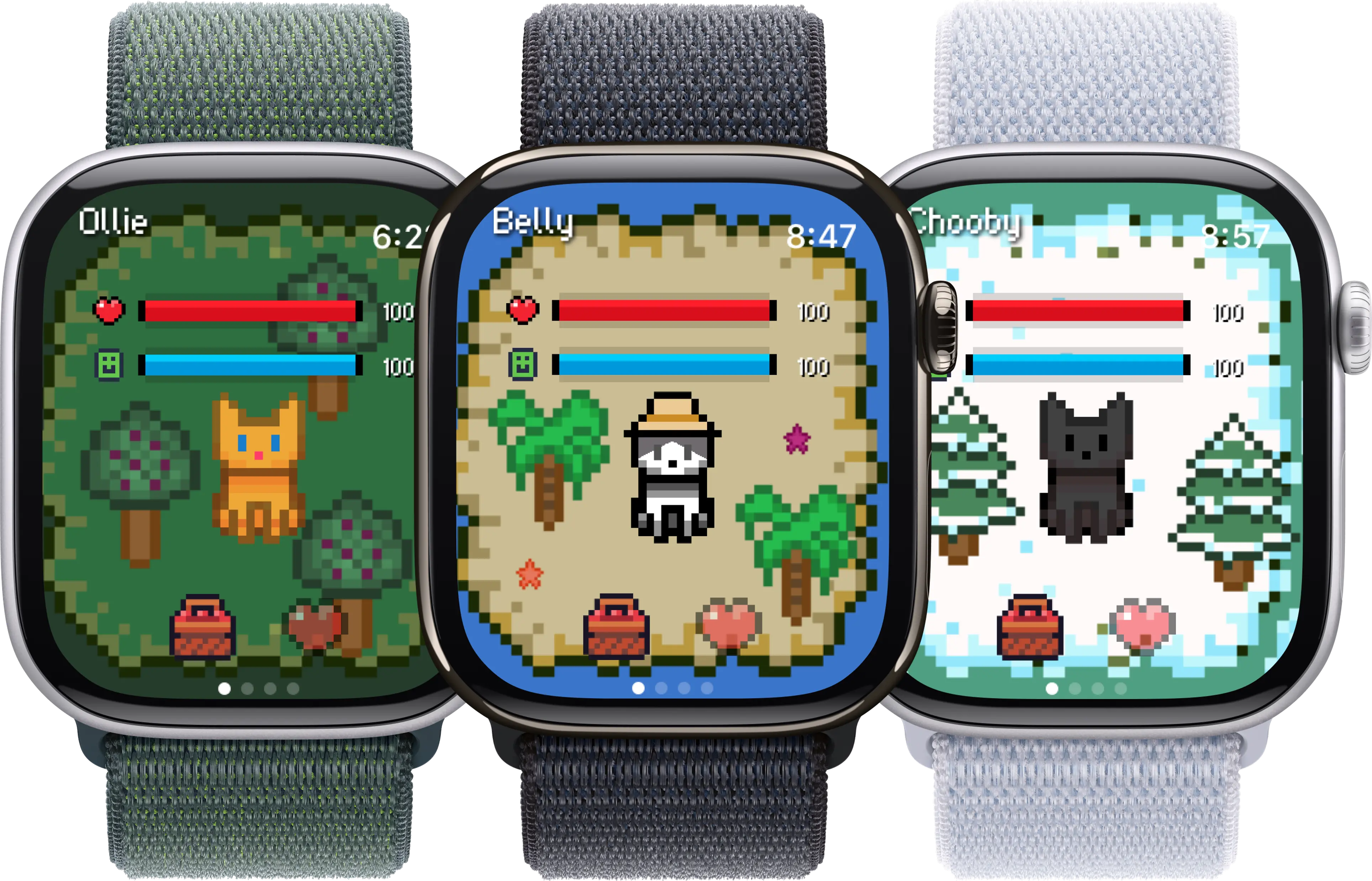
Some hours of the day the Watch is enough. Most full days, it is not.
What "replace" actually means
Two definitions of replacement get tangled in this debate. One is "give up the iPhone forever," which almost no adult is actually proposing. The other is "leave the iPhone in a drawer for a few hours and still function," which is much more common and much more achievable. The second definition is the one that matters in daily life.
The Watch is not a smaller iPhone. It is a different category of device that happens to share an ecosystem. Trying to make it do everything the iPhone does is the wrong test. The right test is: for the hour or three you actually want to be free of a slab in your pocket, does the Watch hold up? For most people willing to plan ahead a little, the answer is yes, more often than they expect.
Cellular vs GPS-only: the fork that decides everything
Most of the disagreement about whether the Watch can replace the iPhone comes from people talking past each other about which model they own. A cellular Apple Watch with an active line is a meaningfully different product from a GPS-only Watch, and the gap is wider in 2026 than it was a few years ago.
GPS-only Watch. Works phone-free for music you have downloaded, payments, fitness tracking, and apps that do not need the internet. The moment a notification, message, or call needs to reach you and the iPhone is out of Bluetooth range, you are unreachable. That is fine for a workout in the same building. It is not fine for a long walk in the neighbourhood.
Cellular Watch with an active line. Receives calls and texts on its own, streams music, runs maps with directions, and stays addressable wherever your carrier has coverage. The monthly cost is usually around ten dollars and you can pause the line when you do not need it. If the question "can the Watch replace the iPhone" matters to you, cellular is the version you want; the GPS-only version is best thought of as an iPhone accessory.
Eight everyday use cases, honestly assessed
1. Calls and texts
Phone-free: yesOn a cellular Apple Watch this is a genuine replacement. Voice calls go over LTE or 5G, iMessages and SMS sync through your carrier, and a paired pair of AirPods turns the Watch into a small phone for most short conversations. On a GPS-only Watch you are limited to whatever range your iPhone is on, which usually means the same room.
Notes:
- Cellular Watch handles calls, texts, and FaceTime audio fully on its own.
- Battery cost is real: an hour-long call over LTE eats noticeably more battery than over Bluetooth.
- Group iMessage threads stay readable; long replies are easier dictated than typed.
- Family Setup lets a Watch operate without a paired iPhone for kids and older relatives.
The catch: Cellular is a paid add-on with your carrier, typically around ten dollars a month. Without it, the Watch is not a phone substitute.
2. Music and podcasts
Phone-free: yesApple Music, Spotify, Pocket Casts, and Overcast all run native on the Watch and can stream or play downloaded content with AirPods. For a run, walk, or gym session this fully replaces pulling out the iPhone.
Notes:
- Spotify added offline downloads to the Watch in 2023; Apple Music has had this for years.
- Streaming over LTE is fine but costs battery; downloads ahead of time are smoother.
- Audible and Libby work on Watch for audiobooks, with caveats around very long downloads.
- AirPods stay paired to whichever device is actively playing; handoff is mostly automatic.
The catch: Discovery is awkward on the small screen. Most people queue a playlist or station on the iPhone first, then leave the iPhone behind.
3. Maps and navigation
Phone-free: partialWalking navigation on Apple Maps and Google Maps works well on the Watch standalone, with taptic turn-by-turn directions. Driving navigation is technically possible but the screen is too small to be safe or pleasant, and most people will still want an iPhone or CarPlay for that.
Notes:
- Apple Maps walking directions on Watch are the strongest case: taptic taps tell you when to turn without looking.
- Google Maps Watch app was rebuilt in 2024 and now does turn-by-turn standalone.
- Transit directions work; you can glance at the next stop on the wrist.
- Offline maps are not really a Watch concept; cellular or a recently-synced route is needed.
The catch: Driving with the Watch as your only navigation is not realistic. For driving, plan on the iPhone or use CarPlay.
4. Mobile payments
Phone-free: yesApple Pay on the Watch is fully standalone, including transit cards. Double-press the side button, hold the Watch to the terminal, done. This is the use case where the Watch most cleanly beats the iPhone, since you do not even have to unlock anything.
Notes:
- Works at any contactless terminal, including most transit systems.
- Express Transit means you do not even have to press a button on subway and bus readers.
- Loyalty cards from Wallet, like Starbucks or your gym, also work from the Watch.
- No cellular needed; the Watch holds the cards locally.
The catch: Some niche merchants and older terminals will still want a physical card. A backup card in a small wallet covers the gap.
5. Photos and camera
Phone-free: noThe Apple Watch has no camera in 2026. You can browse photos synced from the iPhone, and Series 10 and Ultra models can act as a remote viewfinder for the iPhone camera, but the Watch cannot take a photo on its own. If your day-part involves capturing things, the iPhone has to come.
Notes:
- Watch can display a synced photo album for reference, like a packing list or boarding pass.
- The Camera Remote app uses the iPhone camera with the Watch as viewfinder and shutter.
- QR code scanning is technically possible on Watch through some third-party apps, awkwardly.
- Wallet boarding passes and tickets do work standalone on the Watch.
The catch: If you usually take more than a handful of photos in a day, this alone disqualifies the Watch as a full iPhone replacement.
6. Long-form reading and video
Phone-free: noThe screen is too small for sustained reading, web browsing, or video. Email summaries, short messages, and quick news headlines work fine, but anything beyond a paragraph or two is uncomfortable. Video playback is not really supported as a Watch use case at all.
Notes:
- Mail on the Watch handles triage well: archive, flag, short reply.
- News app shows headlines; full articles need a phone or Mac.
- YouTube and most video apps have no native Watch app and would be unpleasant if they did.
- Kindle has a basic Watch companion, but it is not for reading, only for managing your library.
The catch: For commute-time reading or video, the iPhone or an iPad still wins by a wide margin.
7. Third-party apps that need a server
Phone-free: partialMany third-party apps now have native Watch apps that talk directly to their servers over Wi-Fi or LTE. Slack, WhatsApp, Telegram, Strava, banking apps, smart home apps, Uber, all work on the Watch standalone to varying degrees. The quality is uneven; some are useful, some are remote controls for the iPhone version.
Notes:
- Strava and Nike Run Club record workouts standalone and sync later.
- WhatsApp got a real native Watch app in 2024, with reply and voice messages.
- Banking apps usually show balance and let you approve push notifications, but few do full transfers from the wrist.
- Smart home apps like Home, Hue, and Tesla can control devices over LTE without the iPhone nearby.
The catch: Quality varies a lot per app. Check whether the app has a native Watch version with actual standalone functionality, or whether it just mirrors the iPhone.
8. Games and virtual pets
Phone-free: yesA small but growing category of games and virtual pet apps runs fully on the Watch without needing the iPhone. Belly is one example: a pixel pet that lives on the watch face and reacts to steps and time of day, no phone required. Other standalone Watch games include puzzle, idle, and rhythm titles built for the small screen.
Notes:
- Belly runs standalone on watchOS 10 and up; the iPhone is only needed for the initial install.
- Game categories that fit the Watch: pixel pets, idle clickers, short puzzles, step-based games.
- Battery cost is modest compared to a workout app, since these idle most of the day.
- Watch games and pets fit the natural day-part for a phone-free outing: walks, errands, gym.
The catch: Most large mobile games will never make sense on the Watch. The category that fits is small but distinct.
Assessment current as of May 2026, based on watchOS 11 and current generation Apple Watch Series 10 and Ultra. Individual app behaviour can change with updates.
Three realistic scenarios
Abstract assessment only goes so far. Here are three specific kinds of day where the question actually comes up, and what tends to happen.
Scenario A: A two-hour neighbourhood walk
Music or a podcast in AirPods, Apple Pay for a coffee on the way back, a quick text from the kids, maybe a pet app like Belly ticking away on the watch face. Everything works on a cellular Watch. A GPS-only Watch also works for music and payments, just without the inbound messages.
Verdict: phone-free works well. Most people who try this once start doing it regularly.
Scenario B: An errand run in the car
Driving navigation on the Watch is not safe to rely on alone, and you probably want CarPlay or at least the iPhone on the dash mount. Apple Pay still helps at the pump and the checkout, and the Watch handles short replies at red lights.
Verdict: partial. The iPhone is the navigation device; the Watch is the small-task device.
Scenario C: A travel day with airports and photos
Boarding passes in Wallet are great on the Watch, and so are quick translations and payments. But photos, longer messages, looking up reviews of a restaurant, and reading on the plane all want a larger screen. Even seasoned Watch users bring the iPhone for travel.
Verdict: not phone-free. The Watch helps, but it does not replace.
Where Belly and other pet apps fit in
One quiet category in the "phone-free hours" picture is the small wave of apps designed natively for the Watch. Pixel pet apps are a good example. Belly lives on the watch face, reacts to your steps and the time of day, and asks nothing of the iPhone after the initial install. There is no notification spam, no streak guilt, no companion app demanding attention; just a small character on your wrist while you are out doing something else.
The point is not that a pet app makes the Watch a phone replacement on its own. The point is that it is part of the broader 2026 reality: a small but real set of apps assume you might leave the iPhone behind, and they are built accordingly. If you are curious about that category specifically, our roundups of Apple Watch games that work without a phone and the best Apple Watch apps in 2026 go deeper.
Frequently asked questions
Do I still need an iPhone to set up and use an Apple Watch in 2026?
For most people, yes. You need an iPhone for the initial pairing and for system updates, and the Watch backs up through the iPhone. Family Setup is the exception: a parent or guardian can configure a Watch for a child or older relative using their own iPhone, and the dependent Watch then runs without its own paired phone. Outside of Family Setup, the Watch is still tethered to an iPhone account, even if you leave the actual device at home for the day.
Is the cellular version of the Apple Watch worth the extra cost?
It depends on how often you actually leave the iPhone behind. If your honest answer is once a week or more (gym, dog walk, beach, sleep tracking, errands), the monthly carrier fee usually pays for itself in convenience. If you only ever leave the iPhone behind during a workout in the same building, the GPS-only model is fine; it stays in Bluetooth range and works the same. People who buy the cellular version and never activate the line are common; that is also a valid choice.
Which everyday situations actually work fully phone-free on the Apple Watch?
The strongest cases in 2026 are: walks and runs with music and navigation, dog walking, gym sessions, the beach or pool (with a waterproof Watch), short errands within payment range of Apple Pay, sleep tracking, and casual phone-free hours at home. The weakest cases are: long-form reading, photography, video, driving navigation as the only screen, and anything that requires typing more than a couple of words. A useful frame is to think in day-parts rather than full days: most people can find two or three hours a day where the Watch alone genuinely suffices, even if a full phone-free week is unrealistic.
Keep reading: For the small but growing category of apps that genuinely work without your phone, see our roundups of games without an iPhone, free Apple Watch apps with no subscription, and the best Apple Watch apps overall. None of this is buying advice; check the latest specs and carrier terms before any purchase.