The Apple Watch has had its own App Store since watchOS 6, but most people still discover it by accident years into owning the device. There are three routes to getting a game onto the wrist, and the confusion almost always comes from mixing them up: what installs from the watch always works on the watch, while what installs from the iPhone only sometimes brings a watch app with it.
Method 1: The App Store on the watch itself (most reliable)
- Press the Digital Crown and open the App Store on the watch.
- Browse the featured games, or tap the search field and dictate, scribble, or type the name.
- Tap Get for free games, or the price for paid ones.
- Confirm with a double-click of the side button. You may be asked for your Apple ID password on the paired iPhone the first time.
- The icon appears in your app grid or list as soon as the download finishes.
The quiet advantage of this route: everything in the watch's App Store runs on the watch, by definition. There is no guessing about compatibility, which makes it the best place to discover games rather than just install ones you already know.
Method 2: From the iPhone
- Install the game from the App Store on your iPhone as normal.
- Before installing, scroll the listing to the compatibility section and check it mentions Apple Watch. Most iPhone games do not have a watch version, and nothing on the listing shouts about it either way.
- If Automatic App Install is on (it is by default), the watch component installs itself shortly after the iPhone app.
- If it does not appear, open the Watch app on the iPhone, scroll to Available Apps, and tap Install next to the game.
The Available Apps list is the most useful screen most Apple Watch owners have never opened: it shows every app already on your iPhone that ships a watch version you have not installed yet.
Method 3: Set and forget with Automatic App Install
- Open the Watch app on the iPhone.
- Go to General and find Automatic App Install.
- Leave it on if you want every watch-capable app to arrive on the wrist by itself. Turn it off if you prefer a curated watch with only the apps you chose, then install selectively via Available Apps.
Watch storage is measured in tens of gigabytes and games are small, so automatic installs rarely hurt. The argument for turning it off is focus, not space: a watch with eight chosen apps is faster to navigate than one with sixty defaults.
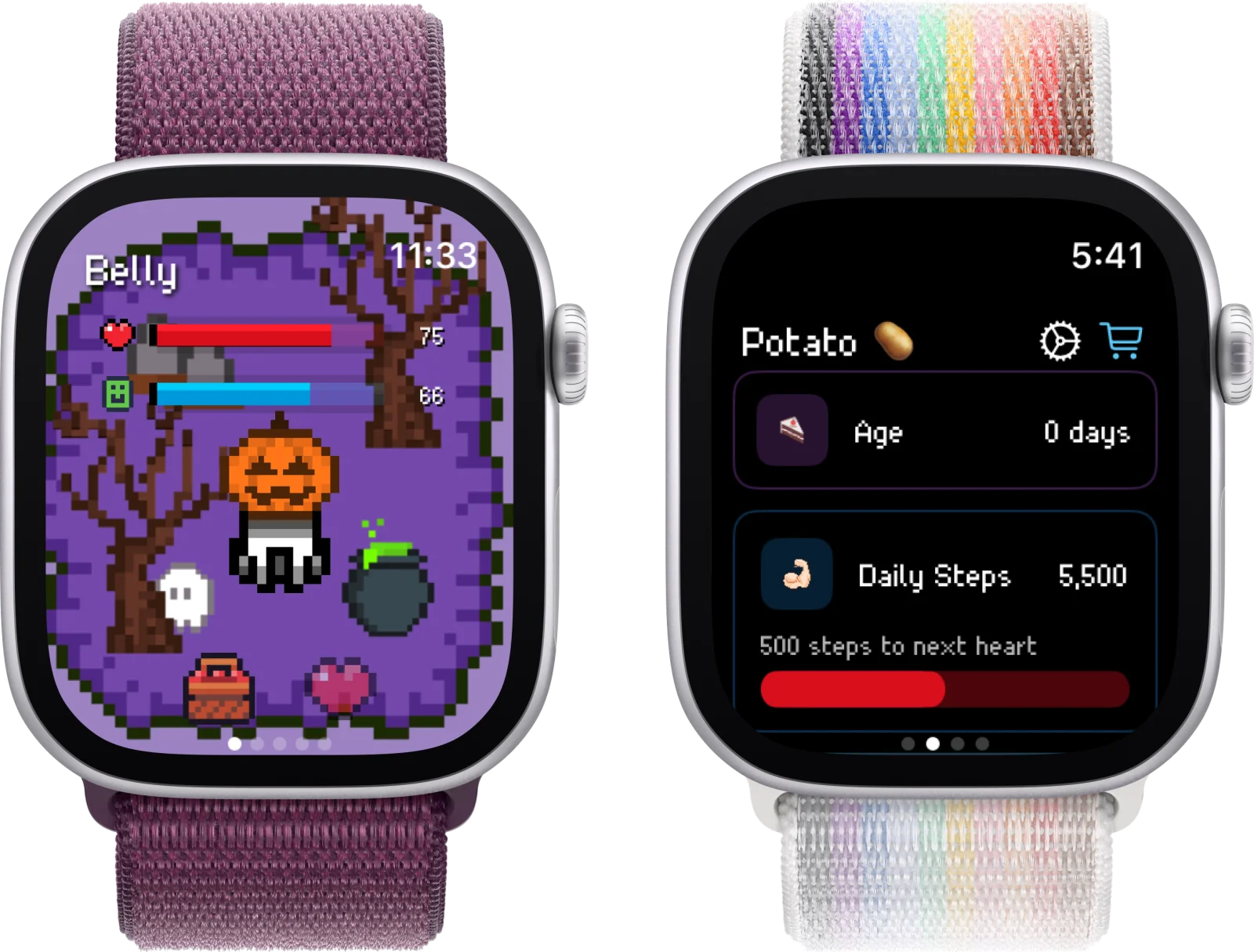
Installed from the watch's own App Store, a standalone game like Belly never needs the phone again.
10 games worth installing first
A starter set that covers the watch's strengths: standalone play, the Digital Crown, haptics, and sessions short enough to finish before the screen sleeps. Deeper write-ups live in our best Apple Watch games guide.
1. Belly (Free)
A pixel cat that lives on your watch face and grows with your daily steps. Fully standalone, works without the iPhone nearby, and doubles as a reason to close your Move ring.
2. Pocket Bandit (Free with purchases)
A safecracking game built around the Digital Crown: turn it slowly, feel for the haptic click, crack the vault. One of the few games designed for the watch's hardware rather than shrunk onto it.
3. Rules! (Paid)
A memory puzzle that asks you to follow an ever-growing stack of rules. Rounds take under a minute, which is exactly the right length for the wrist.
4. Simon Says (Free)
The classic colour-sequence memory game, and it works standalone. A good first install to confirm games run fine on your watch before you spend money.
5. Tiny Armies (Paid)
Quick strategy battles with one-swipe commands. Matches finish in under a minute and it plays entirely on the watch.
6. Trivia Crack (Free with ads)
The wrist version of the trivia giant. Answer a question or two from a notification without taking the phone out.
7. Watch Quest! (Paid)
An early classic built for the watch: your hero adventures passively while you check in to make decisions. Set quests from the phone, play outcomes on the wrist.
8. Letterpad (Paid)
A word puzzle from the makers of TouchArcade: form words from a 3x3 letter grid. Quiet, quick, and readable even on smaller watch screens.
9. Elevate (Subscription)
Brain-training micro-sessions on the wrist as a companion to the iPhone app. Worth it if you already use Elevate; skip if you only want the watch part.
10. Apple Mindfulness (Free, built in)
Not a game, but the built-in Breathe sessions are the best demonstration of what the watch does that a phone cannot: haptic-guided minutes you can follow with your eyes closed.
Availability and pricing checked June 2026. Small watch games come and go from the App Store more often than iPhone apps do; if one is missing, the watch App Store's own games section is the best source of current alternatives.
When a game will not appear: the checklist
- No watch version exists. The most common case. Check the iPhone listing's compatibility section; if Apple Watch is not named, there is nothing to install.
- It is waiting in Available Apps. Watch app, scroll down, tap Install.
- Storage is full. Watch app, General, Storage. Offload a podcast app hoarding episodes.
- watchOS is too old. Newer games often need a recent watchOS. Update in the Watch app under General, Software Update.
- The pairing is sulking. Restart both devices. This unglamorous step resolves a remarkable share of install problems.
Frequently asked
Why doesn't a game show up on my Apple Watch after installing it on iPhone?
Usually one of four reasons. First, the game may simply have no watch version: check the iPhone App Store listing for an Apple Watch section under Compatibility, because most iPhone games, including big names like Pokémon GO, have none. Second, Automatic App Install may be off: open the Watch app, go to General, and check the toggle, or find the game in the Watch app's Available Apps list and tap Install. Third, watch storage may be full: check in the Watch app under General, then Storage. Fourth, the game may need a newer watchOS than your watch runs. If all four check out, restarting both devices fixes most of the rest.
Can I play Apple Watch games without my iPhone nearby?
Many, yes. Games marked as standalone run entirely on the watch: Belly, Simon Says, and Rules! all work with the phone at home, which makes them good companions for runs, dog walks, and school days. Companion games like Trivia Crack or Elevate need the iPhone for some or all features. The watch's own App Store tells you: if you can browse and install it directly from the wrist, it runs on the wrist. Our guide to Apple Watch games that work without the phone goes deeper.
Are Apple Watch games free?
The spread is wide. Genuinely free: Belly and Simon Says, plus Apple's built-ins. Free with ads or purchases: Trivia Crack and Pocket Bandit. One-time paid: Rules!, Tiny Armies, Watch Quest!, and Letterpad, typically a few dollars each. Subscription: Elevate. The watch has fewer predatory free-to-play games than the iPhone simply because the screen cannot fit the ads, which makes the free tier on the wrist unusually pleasant. See our list of the best free Apple Watch games for more.
Read more: Once everything installs, browse the best Apple Watch games, the best free ones, and games that work without the iPhone.